Showing posts with label solve. Show all posts
Showing posts with label solve. Show all posts
Thursday, March 2, 2017
Using ERP To Solve Manufacturing Inefficiencies
Using ERP To Solve Manufacturing Inefficiencies
How To Improve Manufacturing Efficiencies Using ERP
 |
| www.TekoaERP.com |
As I’m sure most people know there are many companies out there that do not have the most efficient ways of producing a product. This inefficiency is normally transferred to the customer in the way of higher prices of goods. The normal consumer wants to see these prices go down and in order to do this, managers need to review their company’s production processes and figure out how to solve the problem.
Here are some tips that managers can use to improve their efficiency.
Engage With Production
The manager should get out of their office upstairs and actually visit the floor so that they can be involved in the manufacturing process and learn the steps that actually go into producing the product they are in charge of. This step would give managers valuable knowledge that they can use to locate problems and solve the problems. It also helps them in other ways too. It could improve employee morale because the lower level employees will be able to see that their manager isn’t afraid to get his/her hands dirty and can actually function as a normal person.Another way to engage with production is to intentionally track production costs and have that information flow directly into the ERP manufacturing software. The accurate collection of manufacturing costs provides the information needed to evaluate and benchmark production efficiency. ERP software applications are skilled at collecting this information and a helpful tool for analyzing efficiency, so consider new ways to engage the ERP with actual production to record costs.
Identify Bottlenecks
The manager needs to locate bottlenecks that are slowing up the production of goods. A bottleneck is something that slows down the production, much like the bottleneck of a bottle slows down the flow of liquid. If the manager can identify and resolve the bottleneck problem it would greatly improve the efficiency in the workplace.A common inefficiency in ERP manufacturing software include manual recording, or no recording of production steps. The use of paper and pencil to track production is not only time consuming but frequently inaccurate. Employing handhelds, or tablets to record production steps is one way to increase the efficiency and accuracy of ERP manufacturing data.
If It Is Broke, Fix It
The third thing that a manager can do is not be afraid to make changes in the process if he/she sees that something is not working to the greatest capacity. Managers might be afraid to change the process because they have been doing it the same way since the start of the company. But the world is changing. Better technologies have been introduced and more efficient ways of doing things are out there. Managers need to be able to take risks in order to lower the cost of goods and to make the production of certain goods faster.It is possible that production has been moving along in the organization in the same way it has been done for generations. To gain competitive advantage and take operations to new levels, consider making changes, even if they are unpopular. Making real changes to the collection and analysis of ERP manufacturing data so as to better understand how to make effective change is an important step to real change that makes a difference.
The problems with the production process could easily be resolved if managers would just consider the steps above. If they did that it would make the company’s stockholders happier and it would also relieve customers of unnecessary costs which is something that every customer would be grateful for.
Mr. Hickman is a business and technology analyst at Whitworth University
Available link for download

Wednesday, March 1, 2017
How to Solve VDM Ucandas Error “Update failed”
How to Solve VDM Ucandas Error “Update failed”
I met VDM UCANDAS “Update failed” error when update the software. This blog provides the solution to solve the error, hope to help someone.
Issue: Updating firmware failed and VDM is invalid.
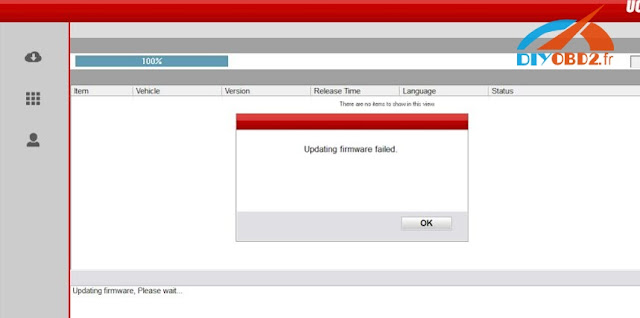
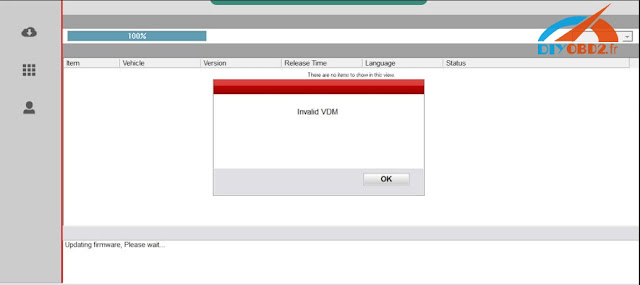
Solutions:
Enter the official website to download the newest the version, not use the version in CD.
Installed the software and connect the device with laptop
Make sure if the device management driver is well installed
Open the software and read serial number
VDM Ucandas V3.9 Software download:
http://www.ucandas.com/download.html
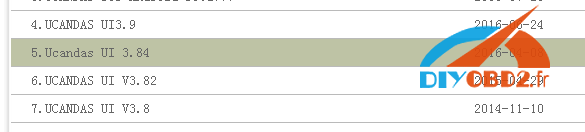
Notice: V3.9 have not been tested by our engineer, you should download and try it at your own risk!
Software installation:
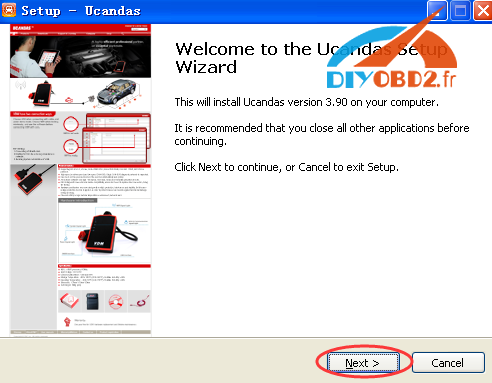
Unzip the software package, UCANDAS Setup. Double click the icon to begin install.

Choose language
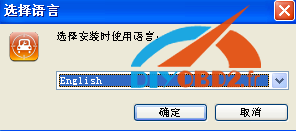
Next
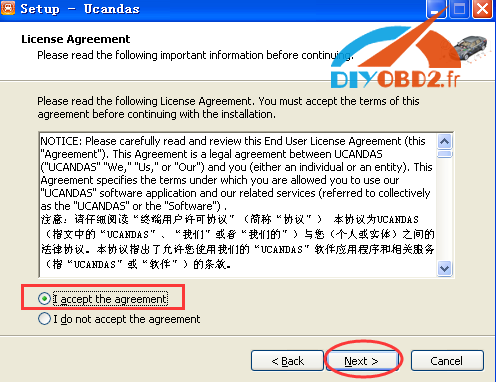
Choose I accept the agreement and click on Next
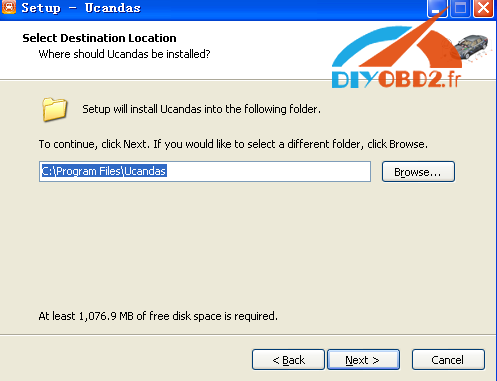
Next
Next
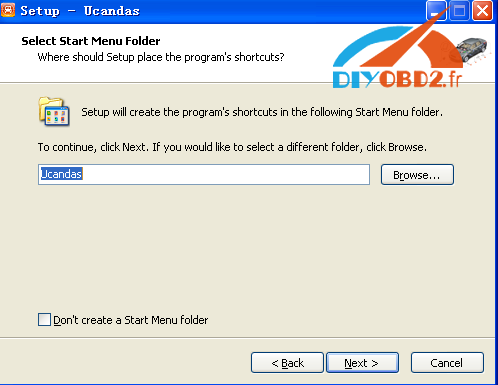
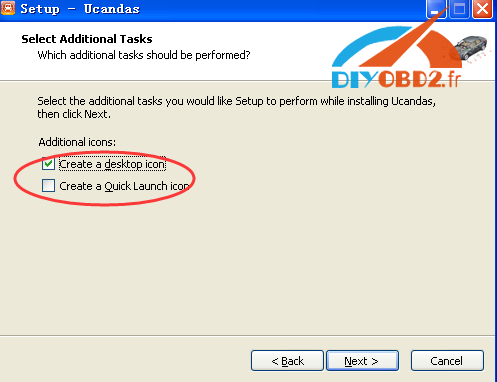
It will automatically pop out the installation of CP210X driver, click next to install.
Then connect Original VDM UCANDAS with the laptop via WIFI or USB, and open the software. And you can download its software and do other job like reading fault codes etc.
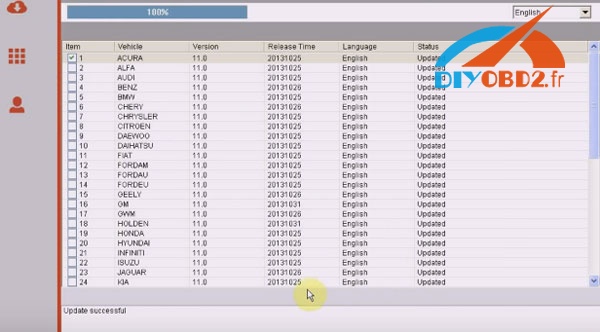
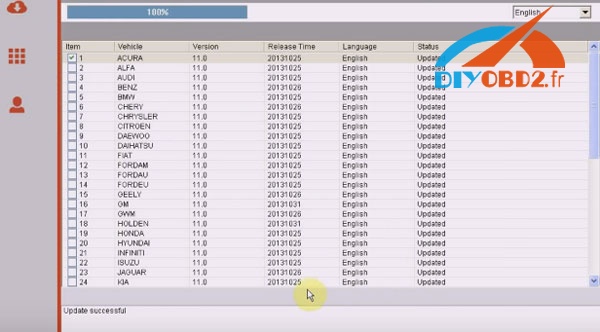
Done!
Available link for download
Thursday, February 16, 2017
How To Solve Common Business Problems with Technology
How To Solve Common Business Problems with Technology
How To Solve Common Business Problems with Technology
by: Kramer Kembel

Businesses face many business process problems in today’s enterprises. Technology is a vital piece for every company and can differentiate their business from their competitors. Many companies are making the connection between strong IT investment and improved business performance. According to the 2012 SMB Routes, 85% of small businesses planning to increase their technology investments are more likely to anticipate higher revenue. This can all be related through their specific business process and making the company efficient. Mobile applications, ERP data analytics, cloud storage, mobile security, and web teleconferencing are five technologies that are helping to solve common small-business problems.
Problem 1 – Mobile Applications
Many small businesses face the problem of being away from the office. This makes it very difficult for employees to share data and to be available to customers.
Solution: According to the Mobility Edge Report, about 94% of small business users believe that mobile devices enable them to be more efficient. Smartphone’s and tablets are continuing to grow, which can be used by the employees of the business. There are many applications that can be used, like Tekoa ERP. This app is a mobile sales device that works on any smartphone, which accepts credit cards anywhere with an Internet connection.
Problem 2 – Analytics
Businesses are noticing that social media is where their customers are located. The problem they face is how they know if their marketing is effective.
Solution: A SMB study states that companies who can figure out how to turn data into insights most effectively will achieve a major competitive advantage. Different applications such as Tekoa Data Cache Manager is a specific dashboard that use different services, which enables users to see web traffic next to their own sales figures.
Problem 3 – Cloud Storage
Businesses can have a major lack of resources and time for IT and can cause many problems for small businesses.
Solution: The SMB study said that about 52% of small and medium-sized businesses are using cloud services to outsource their IT tasks. Dropbox and Microsoft OneDrive are applications for sharing documents, photos, and to replicate files on multiple devices and systems.
Problem 4 – Mobile Security
Since many businesses are relying heavily on smartphones, lost and stolen devices are a major security concern.
Solution: The mobile devices need to be secured by using encryption or data wiping methods to prevent thieves from accessing business information. Lookout Mobile Security Premium is the Editor’s Choice for Android security, which enable users to remotely lock, wipe, and locate devices. Apple is also equipped with Find My iPhone, which enables the user to lock, wipe, and locate the device similar to the Android app.
For more information about mobile ready ERP software for todays enterprise, check out www.TekoaERP.com .
For more information about mobile ready ERP software for todays enterprise, check out www.TekoaERP.com .
Available link for download
Subscribe to:
Posts (Atom)