Showing posts with label error. Show all posts
Showing posts with label error. Show all posts
Wednesday, March 1, 2017
How to Solve VDM Ucandas Error “Update failed”
How to Solve VDM Ucandas Error “Update failed”
I met VDM UCANDAS “Update failed” error when update the software. This blog provides the solution to solve the error, hope to help someone.
Issue: Updating firmware failed and VDM is invalid.
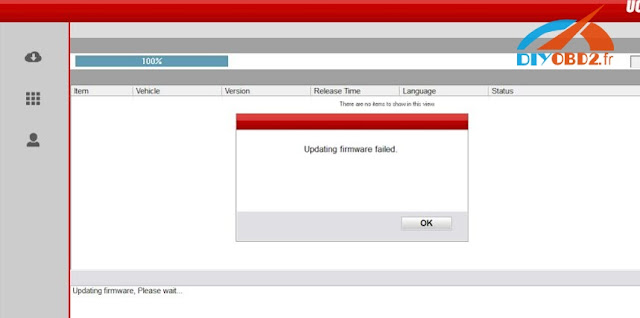
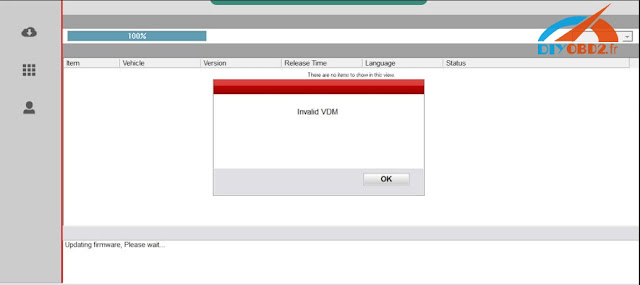
Solutions:
Enter the official website to download the newest the version, not use the version in CD.
Installed the software and connect the device with laptop
Make sure if the device management driver is well installed
Open the software and read serial number
VDM Ucandas V3.9 Software download:
http://www.ucandas.com/download.html
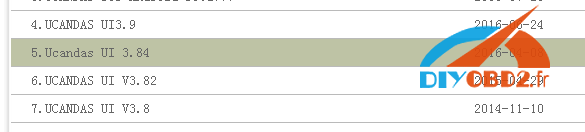
Notice: V3.9 have not been tested by our engineer, you should download and try it at your own risk!
Software installation:
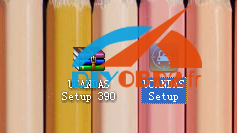
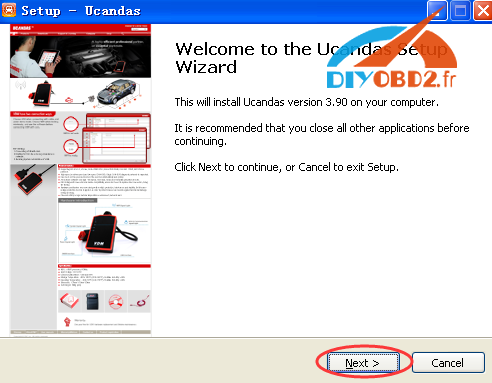
Unzip the software package, UCANDAS Setup. Double click the icon to begin install.
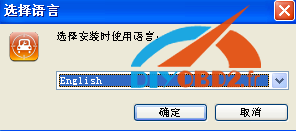
Choose language
Next
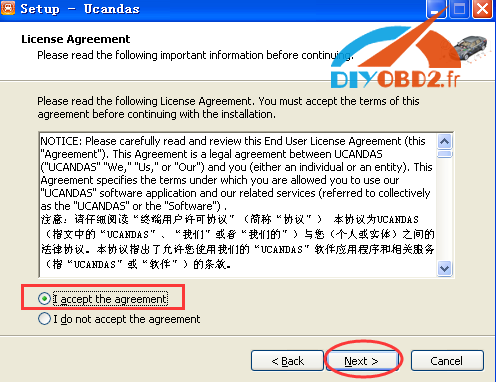
Choose I accept the agreement and click on Next
Next
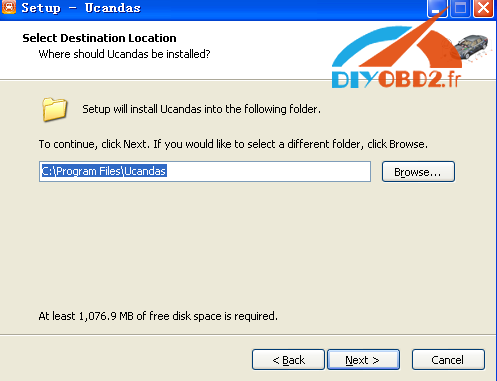
Next
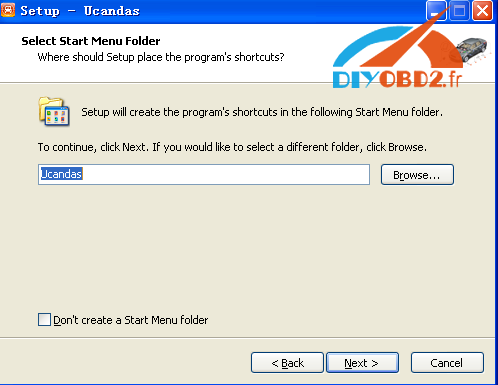
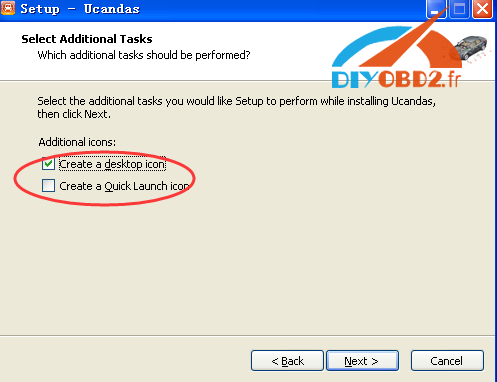
It will automatically pop out the installation of CP210X driver, click next to install.
Then connect Original VDM UCANDAS with the laptop via WIFI or USB, and open the software. And you can download its software and do other job like reading fault codes etc.
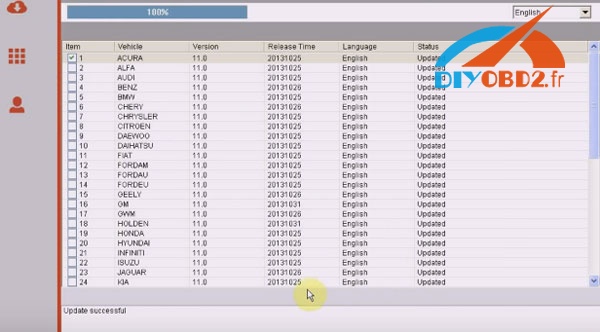
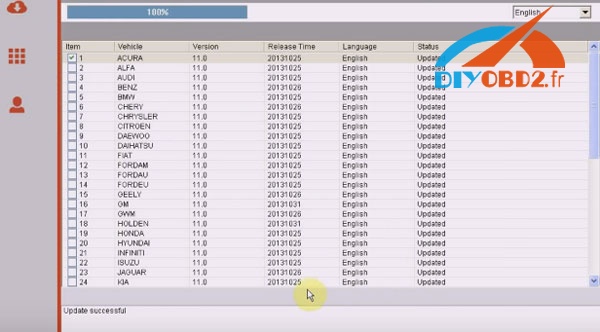
Done!
Available link for download

Monday, February 13, 2017
OBDSTAR X300M Error “Security Verification Failedâ€
OBDSTAR X300M Error “Security Verification Failedâ€
Here is an expert solution of OBDSTAR X300M mileage adjustment tool error “Security Verification Failed”.
X300M displays “Going to read the ECU Code and then forme tosend itto obdstar.com”. Then click on continue, the system pops up“SecurityVerificationFailed”
Screenshots:


Solution:
If you find that some models cannot change mileages, please follow the steps below:
1 Power On X300M unit -> Start -> System Settings -> Data Log -> On -> ESC Return to Main Menu;
2 when matching vehicles in the list, but X300M pops up the error message communication failure, please unplug the machine;
3 unplug the TF card, which the root directory LOG folder
4 send folders in the document to http://www.diyobd2.fr/, engineers there would help analyze the problem
Note! Every time you unplug the x300m machine, the data record will automatically be turned off. So, if you want to save the data the next time, you need to follow the above steps to re-open the data record
Tech support from http://www.diyobd2.fr/
Available link for download
Friday, February 10, 2017
Display driver has stopped Responding and has recovered error in Windows 10 Fixed
Display driver has stopped Responding and has recovered error in Windows 10 Fixed
Whenever we play high graphic games or use that kind of softwares,our PC will produce a strange
error Stating "Display driver has stopped responding and has recovered" this error message also
suitable when your PC hangs temporarily or become unresponsive for a moment.
So,if your PC does such tasks,then here is your guide on how to fix it..
Follow the steps below..
First,update your display drivers of our PC
Step 1 : Login to Your Windows 10 PC.
Step 2 : Press Windows + R Key simultaneously.
Step 3 : Type devmgmt.msc
Step 5 : Click on Display adapters.
Step 6 : Under that you Will find display driver installed on your PC.
Step 7 : Right Click on it and Select "Update driver Software".
Software" option.
Step 2 : Open Control Panel.
[See : How to Open Control Panel Easily]
![How to Fix video tdr Failure error in Windows 10 [ Solved]](https://blogger.googleusercontent.com/img/b/R29vZ2xl/AVvXsEi3oiWGgiYP_3GQ_3EY0XQq0afvVPH4uylgJXCkqsTBMPT8X2KuvRSSHDXPSpjXKgLf9YNp3TXobBm1pKsN7Hk199IA9U_7VdWa0cAlIdJ44wTaiyp4n5oIZ6LZ_QW0gL494bxIpvGS5wM/s320/grapgics.gif "How to Fix video tdr Failure error in Windows 10 [ Solved]")
Collapse,New,Find,Delete,etc.. on that
error Stating "Display driver has stopped responding and has recovered" this error message also
suitable when your PC hangs temporarily or become unresponsive for a moment.
So,if your PC does such tasks,then here is your guide on how to fix it..
Follow the steps below..
First,update your display drivers of our PC
Step 1 : Login to Your Windows 10 PC.
Step 2 : Press Windows + R Key simultaneously.
Step 3 : Type devmgmt.msc
Step 4 : Hit Enter.
Step 5 : Click on Display adapters.
Step 6 : Under that you Will find display driver installed on your PC.
Step 7 : Right Click on it and Select "Update driver Software".
Step 8 : Connect to internet and Select "Search automatically for updated driver
Software" option.
Step 9 : Restart after installation.
If it says,the driver is in already updated, then try Roll back driver option, which will be on Properties tab ( Click on Properties,instead of Update driver software while on Step 7)
Check whether Graphic card performance is set to Maximum..
Step 1 : Login to Your Windows 10 PC.
Step 2 : Open Control Panel.
[See : How to Open Control Panel Easily]
Step 3 : Click on Hardware and Sound.
Step 4 : Click on Power Options on the right pane.
Step 5 : Click on Change Plan settings,on the right pane.
Step 6: Click on change advanced Power settings.
Step 7 : Scroll down and you can find your graphic card there,click on it..
Step 8 : Expand it, and set it to Maximum Performance -> from balanced.
Step 9 : Click on Apply -> OK
Step 10 : Restart your PC.
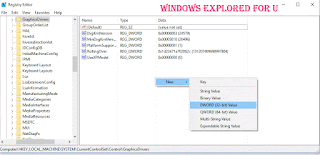
Do the following registry tweak..
1) Press Windows + R keys -> type regedit
2) Navigate to following directory..
HKEY_LOCAL_MACHINESYSTEMCurrentControlSetControlGraphicsDrivers
3) Now,right click on the empty area of right pane it will display options like
Collapse,New,Find,Delete,etc.. on that
select New - > DWORD(32-bit) Value..
4) Name it as TdrDelay
5) Double click on it and set its value data to 8 (or) 9.
6) Click OK.
7) Restart your PC.
Thats it..
Now,your problem will be fixed,if not then that game/software may had messed up with your computer, Uninstall and reinstall the program to fix the error.
The above solution works for following errors..
display drivers stopped working windows 10, display drivers stopped working and has recovered windows 10,display drivers stopped responding and has recovered error in windows 10,display driver has stopped working windows 10,display drivers stopped responding and has recovered error in windows 10 nvidia,display drivers stopped responding and has recovered error in windows 8,tdrdelay windows 10
Available link for download
Saturday, February 4, 2017
solved ICOM NEXT ISTA P error occurred during execution
solved ICOM NEXT ISTA P error occurred during execution
Used ISTA / P 3.60.1 (Loader 6.1F) with ICOM NEXT for bmw motorcycle programming but met the error message:
Fehler
Bei der Durchfuhrung der MaBnahme ist ein Fehler aufgetreten
94201 Fachdiendtinitialisierung fhelgeschlagen
-2 Global Unknown
1000000 Global Unknown


(Error in ISTA P
An error occurred during the execution of the action
94201 Technical deadline initialization fhelgeschlagen
-2 Global Unknown
1000000 Global Unknown)
Here is the customer solution:
Try to disconnect the battery for 15 min.
then reconnect the battery
turn ignition on (KL:15)
wait 1min and then connect the ICOM and restart
then reconnect the battery
turn ignition on (KL:15)
wait 1min and then connect the ICOM and restart
On a note from another:
There is not enough info to determine which model the programming is being attempted on but the belief that disconnecting battery on the the bikes does some form of reset on engine ECU is an urban myth, power is removed from the processor systems and memory every time the ignition is turned off
I will try and report here. Hope it does help.
Original:(solved) ICOM NEXT ISTA-P error occurred during execution
Available link for download
solved GM tech 2 error E666 service programming system denied
solved GM tech 2 error E666 service programming system denied
Here is a customer solution of GM tech 2 error E666. When trying to access to SPS, it keeps error E666: Access to Service Programming Server was denied.

Possible solution: (try on your own risk)
You need a New-Different "Safe" cable if you using USB ---->RS232.....
make sure the cable is a rs-232 and not a rs232c

(all tech2 packages all at diyobd2 includes this HQ rs232 adapter)
To set COM port.
---> under CONFIGURATION>I/O MANAGEMENT>TECH2>PROPERTIES.
---> under CONFIGURATION>I/O MANAGEMENT>TECH2>PROPERTIES.
NOTE:
Normal TIS2000 software that comes with it requires?an individual USB security dongle, (most dongle in the kit is useless).Go figure. TIS2000 is COM yet the security is USB. This REALLY screws up things sometimes.
If you do need the dongle and dont have one, it will come with error E666
Tech support from http://www.diyobd2.fr/
Original:(solved) GM tech 2 error E666 service programming system denied
Original:(solved) GM tech 2 error E666 service programming system denied
Available link for download
Friday, January 27, 2017
I 2013 Multidi g Access Communication Error after Update
I 2013 Multidi g Access Communication Error after Update
I-2013 mutidiag access failed to communication after update. And here are professional suggestion by diyobd2.fr. Hopefully, it helps someone.

Mise a jour de linterface de communication
(Updating the communication interface)

Erreur pendant le telechargement de la vci. Verifiez que la vci est connectree a l’outil et au vehicule.
(Error while downloading vci. Verify that the vci is connected to the tool and the vehicle.)
Suggestion from professional technicians work for diyobd2.fr:
1- try to re-install windows system (Windows XP or Win7 32bitbetter)
1- try to re-install windows system (Windows XP or Win7 32bitbetter)
2- disconnect network connection
3- re-install Multidiag access i-2013 according to the video guide below:
http://youtu.be/vc8aQxOMP_A
4- then it should work fine.
If the Multidiag i-2013 still fails to connection, please send your unit back to the vendor for repair.
To update Multi-diag software needs technique and luck:
You need to buy the corresponding chip to change it on the board, before software update.
V2011 update chip for Multi-Di@g J2534 Interface

This is the PIC12F629 chip for Multi-diag j2534 to update your tool from 2010 to 2011.
V2013.1 update chip for Multi-Di@g J2534 Interface

With this update chip, you can update your Multi-Diag j2534 interface from V2010 V2011 to V2013.1.
Tutorial: How to update Multi-Diag J2534 interface to v2013 v2011
Note: when use i-2013 multidi@g to test the car, it’s a must to setup the USB driver first.
Original - from diyobd2.fr obd2 francais:I-2013 Multidi@g Access Communication Error after Update
Available link for download
Tuesday, January 17, 2017
OBDSTAR VAG PRO Audi License Error Suggestion Solution
OBDSTAR VAG PRO Audi License Error Suggestion Solution
Here are some tips for OBDSTAR VAG PRO”license error” when change mileages, reset service and steer on Audi.
2007 gti, 2008 seat leon, 2008 audi a4? 2012 audi q5 fails to do steering reset, mileage correction, service reset. And the device displays “license error” then the dashboard is freezed.


Solutions and suggestion from obdstar customer service:
Try to update VAG PRO Audi to the latest version via the official website: www.obdstar.com.
OBDSTAR scanner update tips
Then the issue should be solved.
Here are all testable Audi models for vag pro.
Vag pro for IMMO on Audi v31.13:
Read security code
17 Dashboard
Auto
A4 RB8 2006-2007
Manual
25 Immobiliser
Auto
Manual
01 Engine
Auto
Manual
Program keys
17 Dashboard
25 Immobiliser
Program remote
35 Central lock(KWP1281)
46 Central comfort module(KWP1281)
17 Dashboard
Auto
A4 RB8 2006-2007
Manual
25 Immobiliser
Auto
Manual
01 Engine
Auto
Manual
Program keys
17 Dashboard
25 Immobiliser
Program remote
35 Central lock(KWP1281)
46 Central comfort module(KWP1281)
Vag pro for Audi Odometer Mileage v30.72: Audi
A3
2003-2006
2007-
A4
RB4 2002-2005
RB8 2006-2007
A4L
2008-2012
2013-
A5
2008-2012
2013-
A6
1998-2004
A6L
2004-2008
2009-
A8L
2003-2006
Q5
2008-2012
2013-
Q7
2006-2008
2009-
R8
R8 2007-
S5
2008-2012
2013-
S8
2007-
TT
TT 2007-
A3
2003-2006
2007-
A4
RB4 2002-2005
RB8 2006-2007
A4L
2008-2012
2013-
A5
2008-2012
2013-
A6
1998-2004
A6L
2004-2008
2009-
A8L
2003-2006
Q5
2008-2012
2013-
Q7
2006-2008
2009-
R8
R8 2007-
S5
2008-2012
2013-
S8
2007-
TT
TT 2007-
Obdstar vag pro for audi RESETSRS: Audi
4B0959655G
Erase collision record
Erase the ECU internal fault
4B0959655R
Erase collision record
Erase the ECU internal fault
4B0959655G
Erase collision record
Erase the ECU internal fault
4B0959655R
Erase collision record
Erase the ECU internal fault
Vag pro obdstar for audi STEERRESET V30.01: Audi
Break electronic system
Steering wheel electronic system
Steering electronic system
Break electronic system
Steering wheel electronic system
Steering electronic system
Available link for download
Subscribe to:
Posts (Atom)