Showing posts with label vw. Show all posts
Showing posts with label vw. Show all posts
Wednesday, March 8, 2017
Xhorse VVDI2 Key Programmer add ID46 transponder key for VW Touareg
Xhorse VVDI2 Key Programmer add ID46 transponder key for VW Touareg
This is a guide for you to use Xhorse VVDI2 Commander Key Programmer to add a new ID46 transponder key for VW Touareg 2008. Below are the steps!
Step1. Open VVDI2 software, choose VW software.

Turn ignition on with the original key. Click “Key Learn” on top menu bar. Choose “4th Immobilizer System- VW” and “Touareg”.

Step2. Tick the option “Get component security from engine via ECU”. Click “Auto detect from ECU”. Read component security bytes and PIN.

And now VVDI2 commander will remind you “the 7th byte CS code may be wrong, find it from the working key”, click “OK”.

Step3. Click “Make Dealer Key” below “make dealer key with working key”.

Insert a working key into VVDI2 coil. And the correct 7th byte is read out as picture shows. Click “Yes” and input it to replace the old one.

Step4. Click “Make Dealer Key” below “make dealer key with 7 bytes CS”. Put the new ID46 transponder chip into VVDI2 coil. It will show “Key made OK and locked”.

Step5. Click “Key Learning”, turn off ignition, remove the original key, then insert the new key and turn on ignition. Switch ignition off, remove the new key then use it to turn ignition on. New key programmed successfully by VVDI2 key programmer!
Available link for download

Sunday, February 26, 2017
How to install VW ETKA 7 5 electronic catalogue
How to install VW ETKA 7 5 electronic catalogue
This is the instruction on how to install ETKA 7.5 electronic parts catalogue on Windows XP.
Attention please. VW ETKA 7.5 catalogue from China, especially from diyobd2.fr MUST be installed on Windows XP, NOT 64 bit system!
Step 1 - install Hardlock device driver
Copy ETKA 7.5 zip file from dvd disk to local disk D:
Then extract Etka 7.5
Open folder ETKA-> QQ1 to install hardlock device driver 5.22
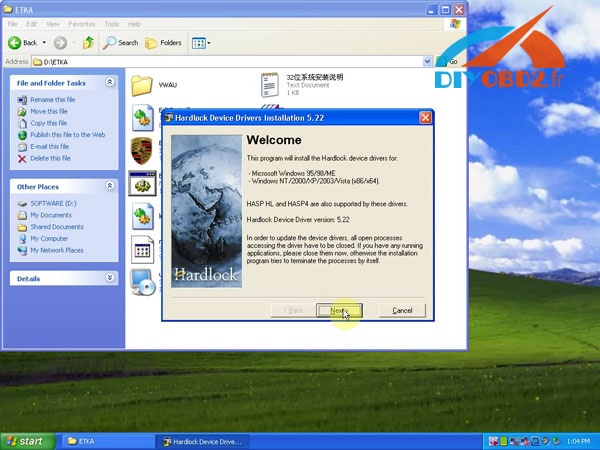
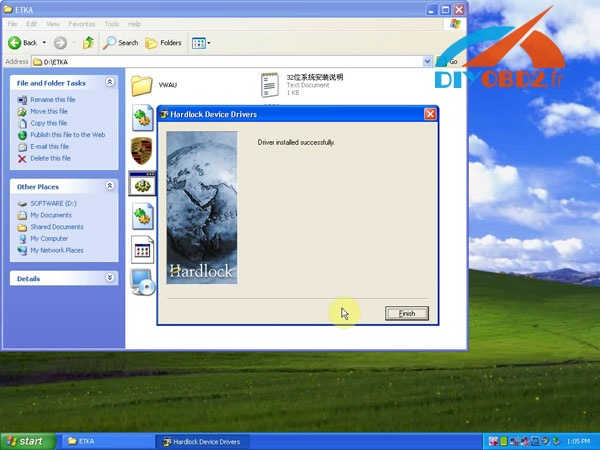
Step 2 - delete dl file
Copy LexHd5.dll from D:/ ETKA to C:/WINDOWS/system
Step 3 - install Hardlock emulator
Open Emulator to install Hardlock emulator
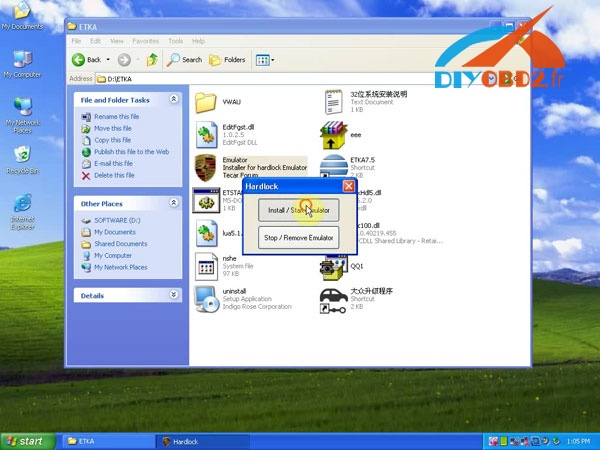
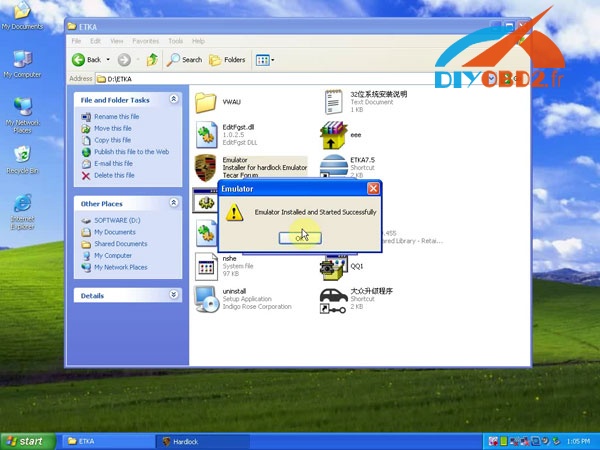
Step 4 - setup ETKA 7.5 language
Copy ETKA 7.5 shortcut from D:/ ETKA to Desktop
Run ETKA 7.5 on Desktop and select a language first

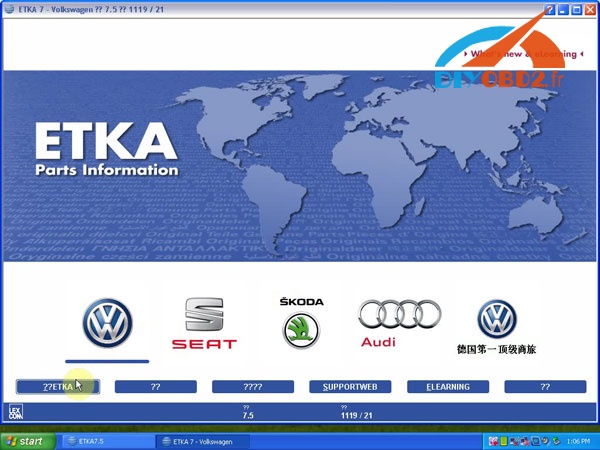
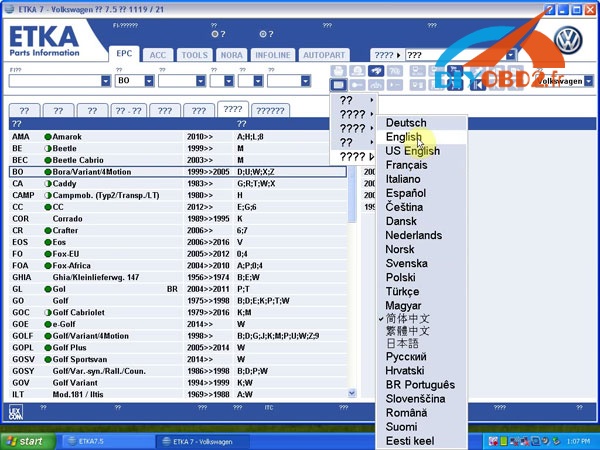
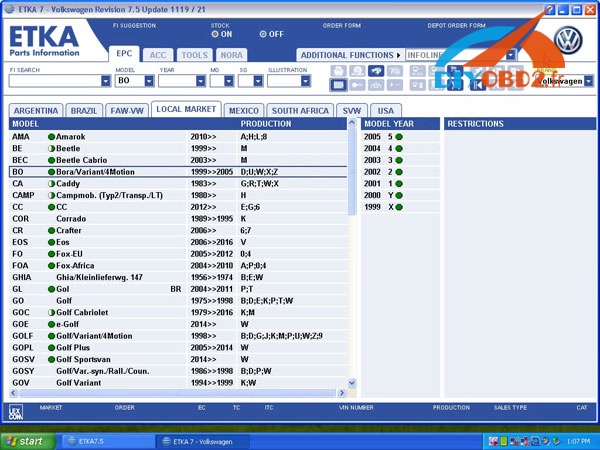
Then exit ETKA 7.5 software
Step 5 - run ETKA 7.5 to read part info
Again, open ETKA 7.5 to start EPC
This time, all words expression is normal
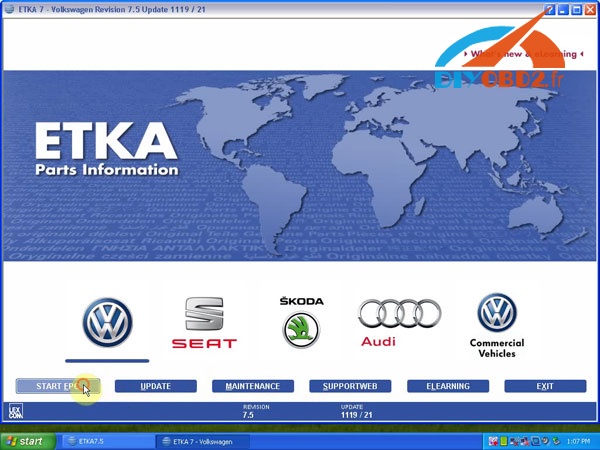
Select Golf sportsvan 2017 H to read part information
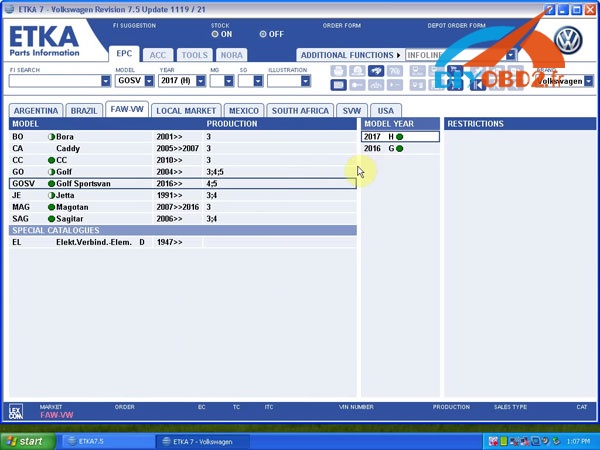
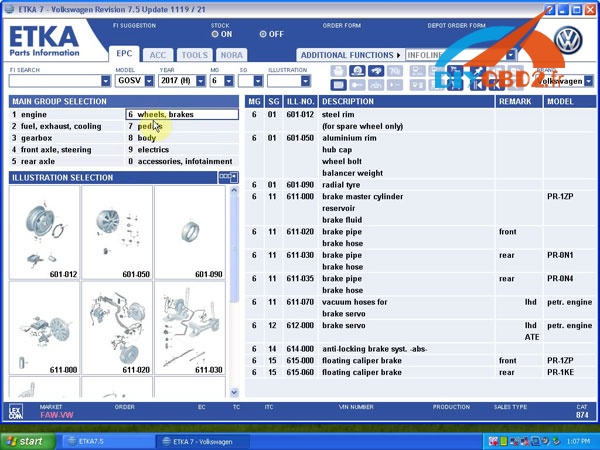
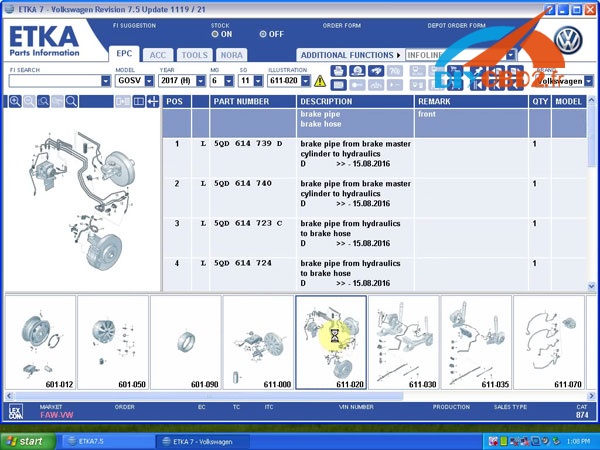
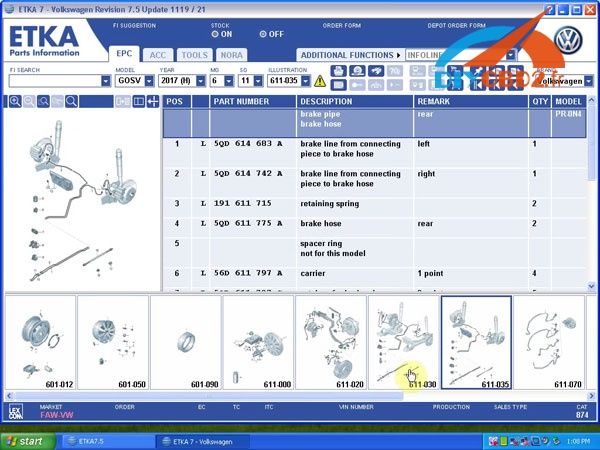
More ETKA 7.5 part info, please refer to the video https://youtu.be/1LK9G8U8uDg
and the site http://www.diyobd2.fr/
Original:How to install VW ETKA 7.5 electronic catalogue
Available link for download
Subscribe to:
Posts (Atom)