Showing posts with label programmer. Show all posts
Showing posts with label programmer. Show all posts
Wednesday, March 15, 2017
How to install R280 Plus CAS4 BDM Programmer software
How to install R280 Plus CAS4 BDM Programmer software
This is an installation guide for R280 Plus CAS4 BDM Programmer software. You will learn how to install R280 software step by step!
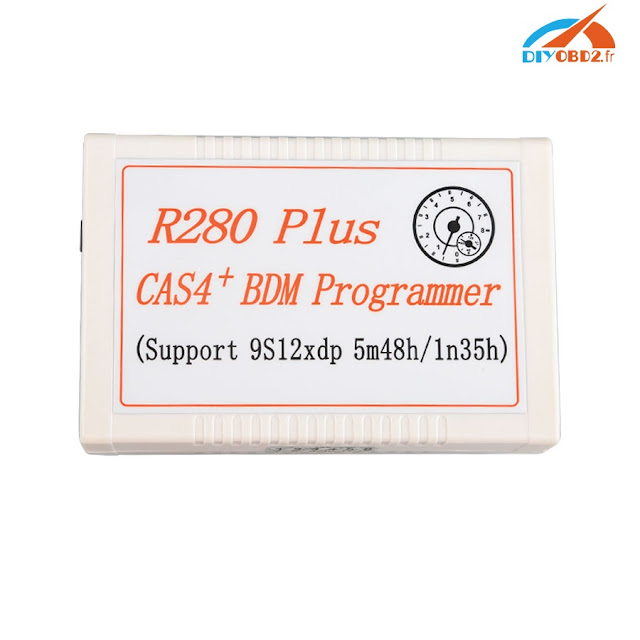
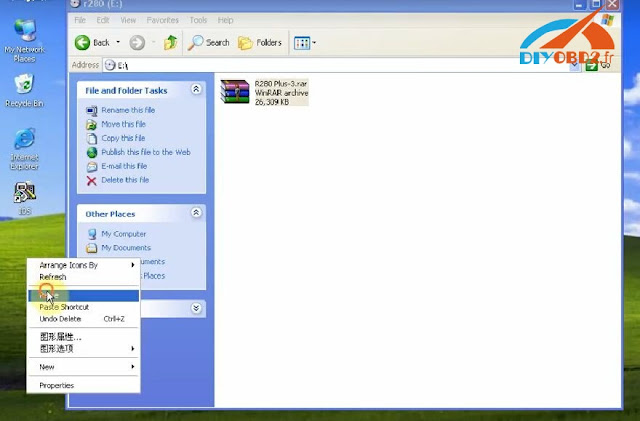
Step1. Insert and open R280 Programmer software CD. Copy the compress file “R280 Plus-3” RAR to desktop.
Extract R280 Plus-3” RAR to “R280 Plus-3” then you can see a folder “R280 Plus-3” on desktop. Open the folder then “R280 Plus.exe”.
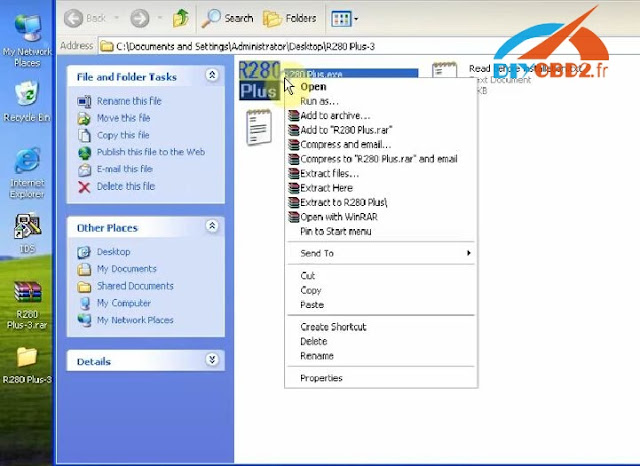
Step2. Right click “R280 Plus” icon on desktop, choose “Properties” then “Find a target”. Open “R280 CAS4 Driver” folder.
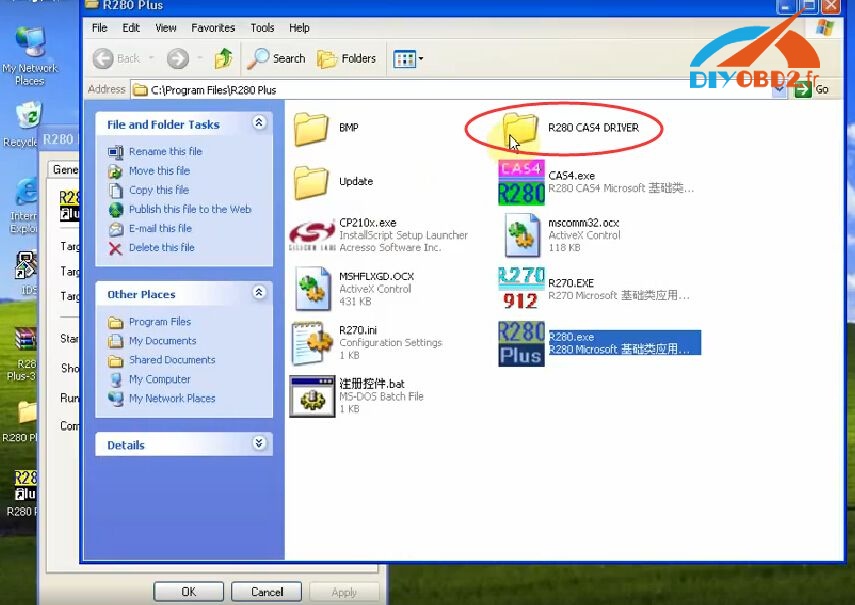
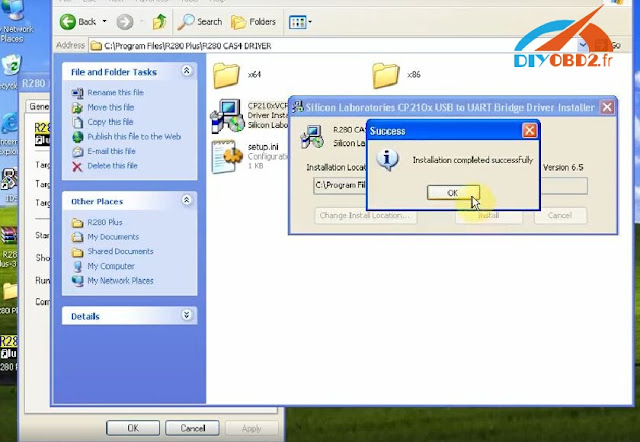
Click “CP210x” driver installer, click “Install” then wait it complete.
Step3. It will pop up “Found New Hardware Wizard” window for R280 CAS4. Click “Next”, “Next” and “Finish”.
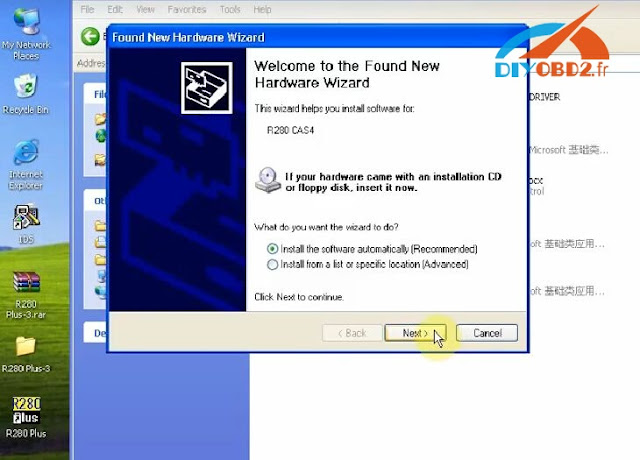
And there is another “Found New Hardware Wizard” window for CP210x. Click “Next”, “Next” and “Finish”.
Now R280 software installation is complete. You can choose both R270 In-Circuit Programmer and R280 CAS4 Programmer to use.
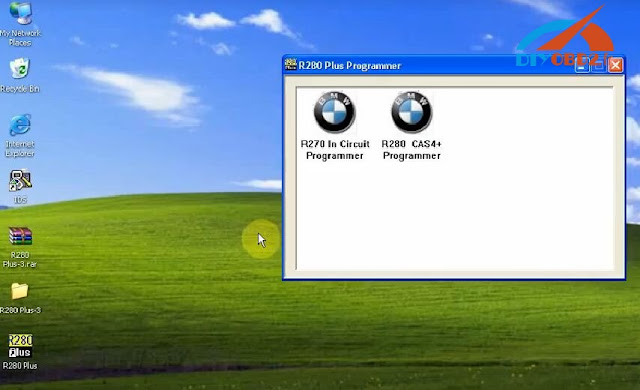
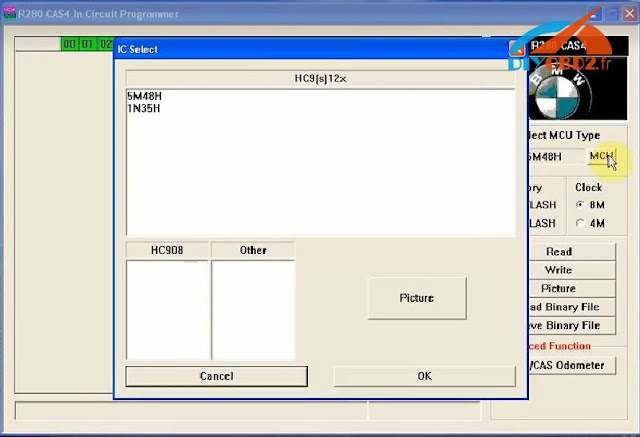
Original:How to install R280 Plus CAS4 BDM Programmer software?
Available link for download

Wednesday, March 8, 2017
Xhorse VVDI2 Key Programmer add ID46 transponder key for VW Touareg
Xhorse VVDI2 Key Programmer add ID46 transponder key for VW Touareg
This is a guide for you to use Xhorse VVDI2 Commander Key Programmer to add a new ID46 transponder key for VW Touareg 2008. Below are the steps!
Step1. Open VVDI2 software, choose VW software.

Turn ignition on with the original key. Click “Key Learn” on top menu bar. Choose “4th Immobilizer System- VW” and “Touareg”.

Step2. Tick the option “Get component security from engine via ECU”. Click “Auto detect from ECU”. Read component security bytes and PIN.

And now VVDI2 commander will remind you “the 7th byte CS code may be wrong, find it from the working key”, click “OK”.

Step3. Click “Make Dealer Key” below “make dealer key with working key”.

Insert a working key into VVDI2 coil. And the correct 7th byte is read out as picture shows. Click “Yes” and input it to replace the old one.

Step4. Click “Make Dealer Key” below “make dealer key with 7 bytes CS”. Put the new ID46 transponder chip into VVDI2 coil. It will show “Key made OK and locked”.

Step5. Click “Key Learning”, turn off ignition, remove the original key, then insert the new key and turn on ignition. Switch ignition off, remove the new key then use it to turn ignition on. New key programmed successfully by VVDI2 key programmer!
Available link for download
R280 Plus BDM Programmer read write BMW CAS4 5M48H 1N35H fast
R280 Plus BDM Programmer read write BMW CAS4 5M48H 1N35H fast
New arrival R280 Plus CAS4+ BDM Programmer is the upgrade of R270. R280 Plus read write BMW CAS4 5M48H 1N35H well and fast! And it can also help you change mileage anytime. This blog will show you how R280 Plus works.
https://youtu.be/VYEBHRnRYnE
First, find out if you car is included in R280 Plus vehicle list:
(R280 Plus programmer support BMW vehicles up to 2016)
BMW 1 series - F20, F21 chassis
BMW X1 series - E84 chassis
BMW 3 series - F30, F31 and F35 chassis
BMW X3 series - F25 chassis
BMW 5 series - F10, F11 and F18 chassis
BMW X5 series - F15 chassis
BMW 6 series - DMEM/F12 F13 chassis
BMW X6 series - F16 chassis
BMW 7 series - F01, F02, F03, F04 chassis
BMW GT series - F07 chassis
Next, here show you R280 Plus features in pictures:
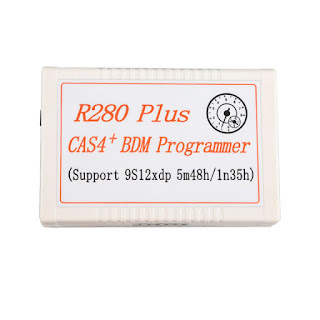
R280 Plus main unit:
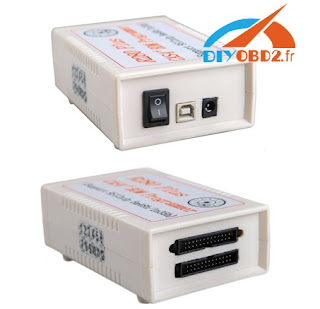
R280 Plus ports and switch:
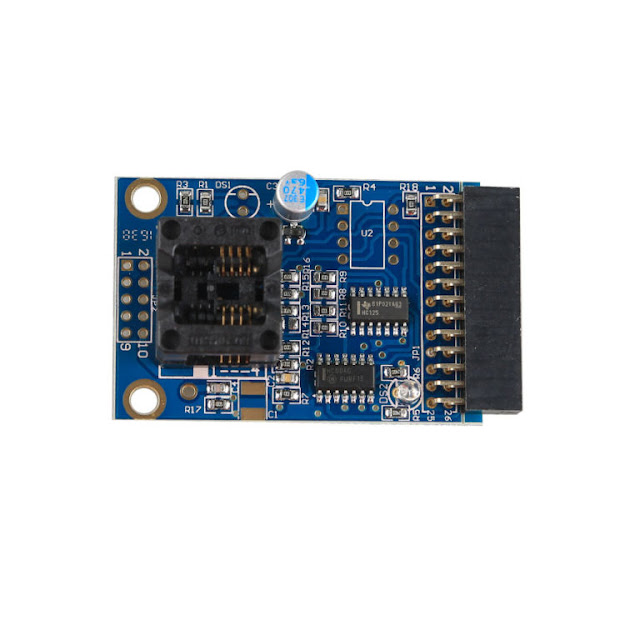
R280 Plus PCB:
Then, learn how R280 Plus read& write Motorola 5M48H and correct odometer:
How R280 Plus read MCU MC9S12 5M48H?
Open R280 Plus software “R280 CAS4 In-Circuit Programmer”. Click “Read” to start read EEPROM.
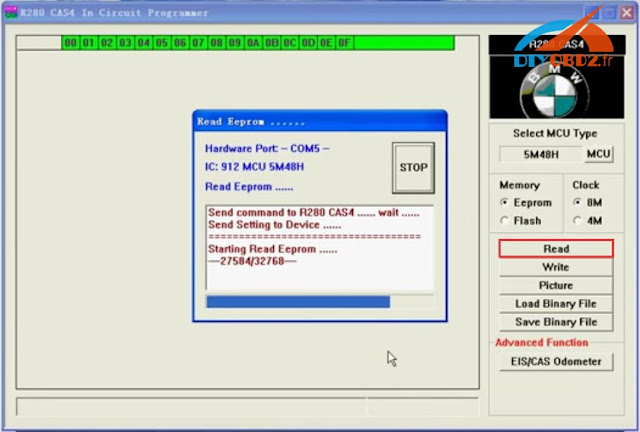
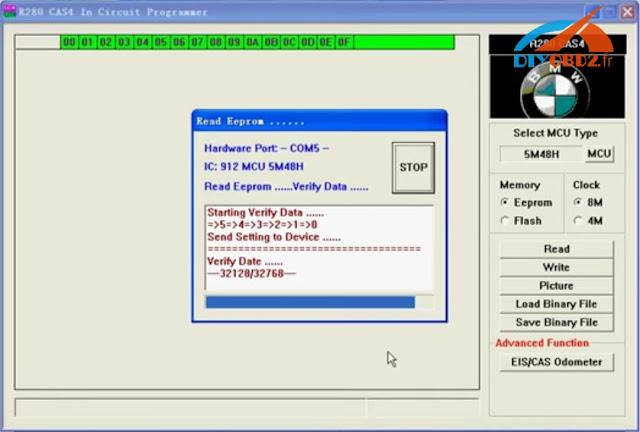
After read success, you save the bin file.
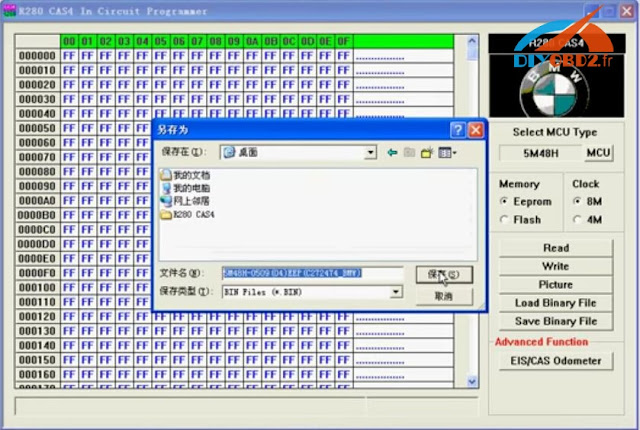
How R280 Plus write MCU MC9S12 5M48H?
Click “Write” and wait it complete.
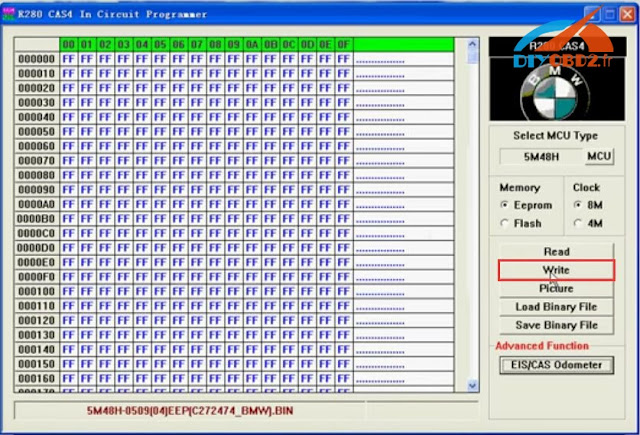
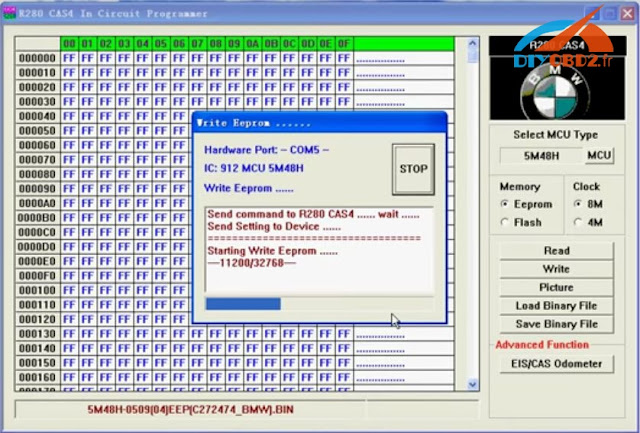
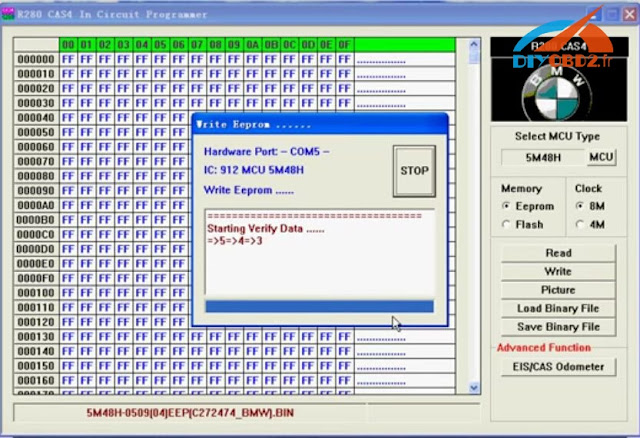
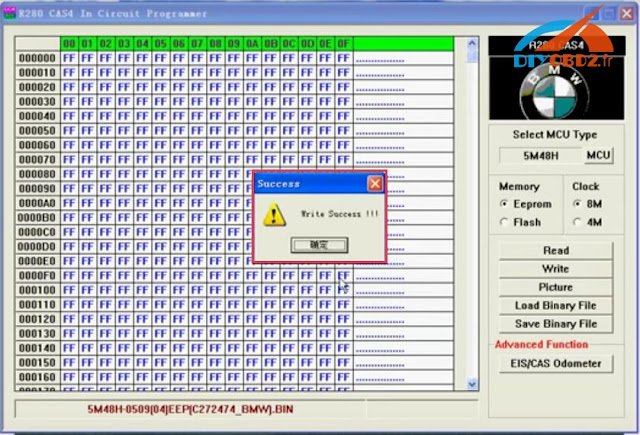
It shows “Write Success”.
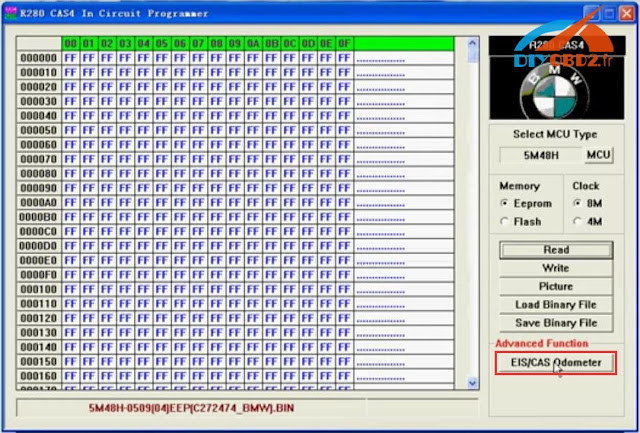
How R280 Plus adjust BMW CAS4 odometer?
Click “EIS/CSA Odometer”.
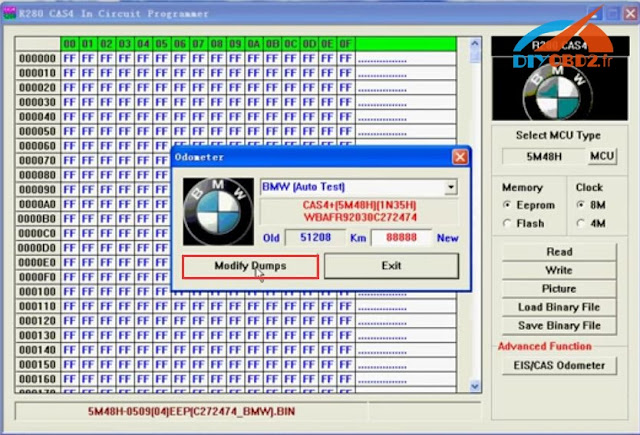
It will read out the old odometer then you enter a new odometer and click “Modify Dumps”.
After that R280 Plus will show you “adjust odometer in dumps OK”, and remind you must to write the dump back. So don’t forget to click “Write”.
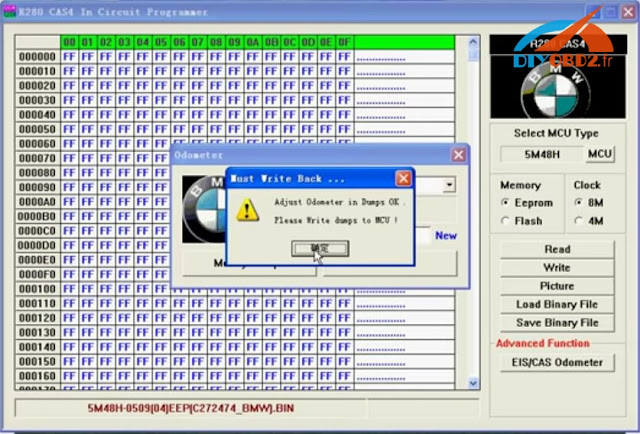
More details of R280 Plus you can check here:
http://www.diyobd2.fr/wholesale/r280-plus-bmw-cas4-bdm-programmer-motorola-mc9s12xep100-chip.html
Available link for download
Saturday, March 4, 2017
How to Update OBDSTAR X100 Pro Auto Key Programmer Software
How to Update OBDSTAR X100 Pro Auto Key Programmer Software
Recently our engineer received some questions about how to update OBDSTAR X100 Pro software, here I will teach you how to do it.
Before update software, we should register first.
Open the device
Select [ABOUT] and press [ENTER] button
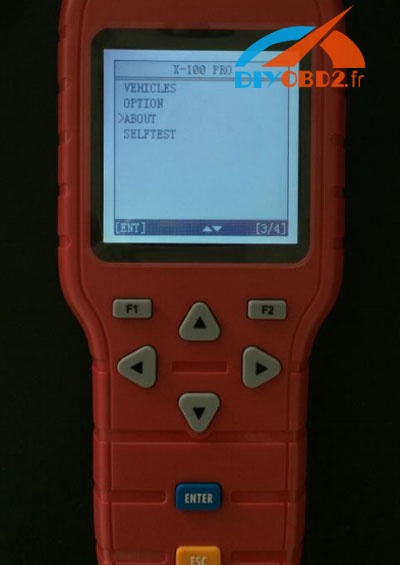
Then the information of the device will appear
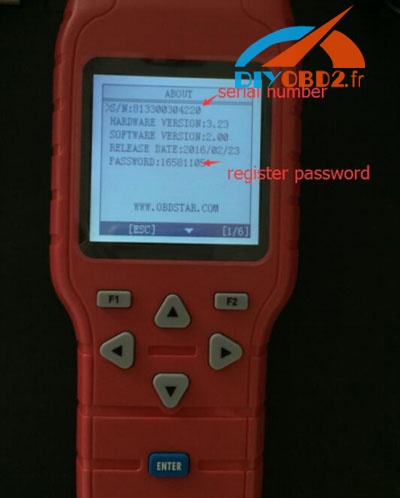
Note down the secret number and password
And go to the website www.obdstar.com and register.
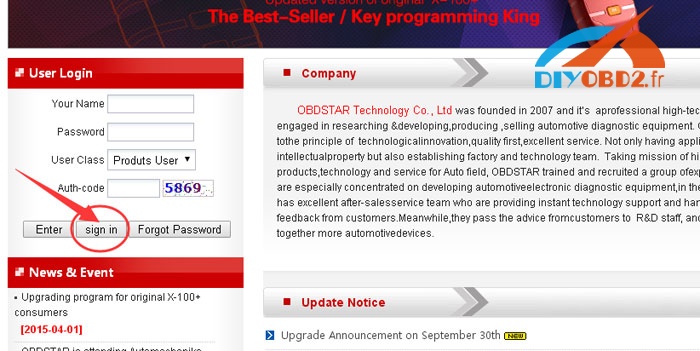
Input the serial number, password and distributor code
Click [Next Step]
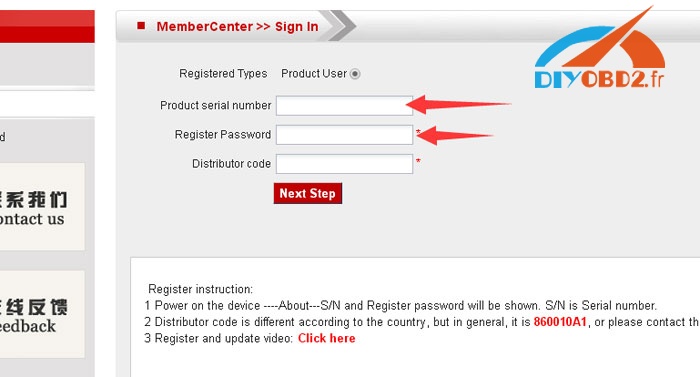
After account registered, log in, build a new folder on your desktop, download all update software and put into the folder you just built.
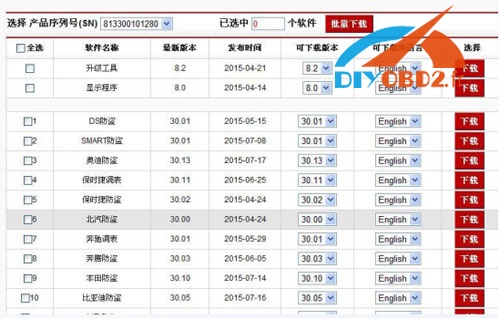
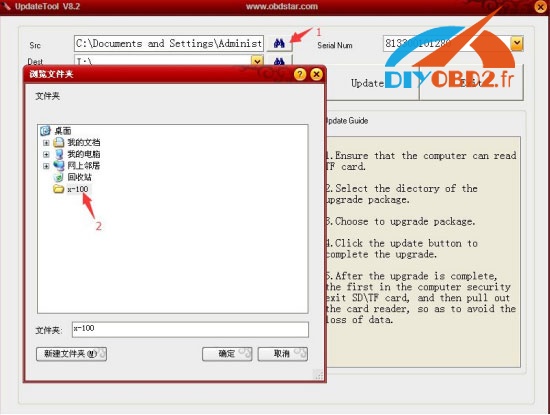
Update the update tool, connect TF card by card reader to your computer.
Choose the target folder and file folder like this:
Select all files in the folder and click “update”
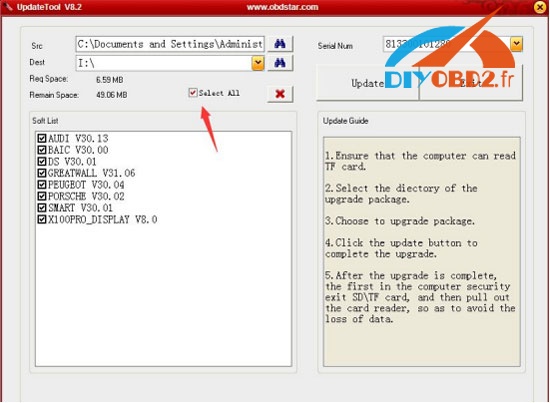
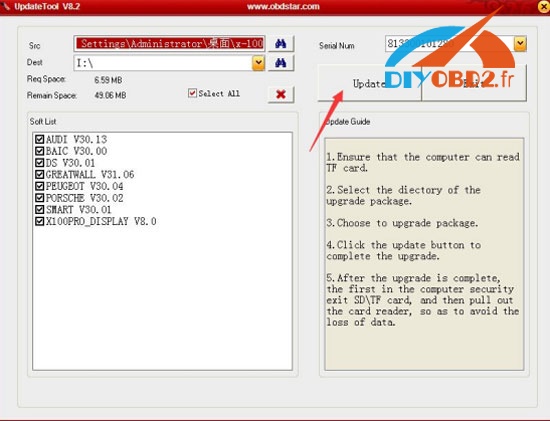
Wait until update finished, it would remind you update success!
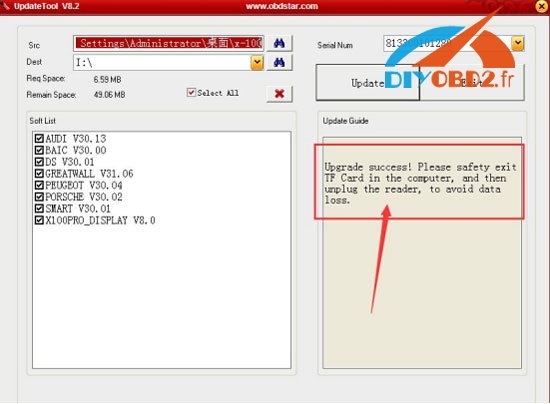
Done!
Available link for download
Sunday, January 29, 2017
SBB Silca Key Programmer V33 Reviews What are tested OK
SBB Silca Key Programmer V33 Reviews What are tested OK
This blog is reviews on SBB Key Programmer V33 about what car and key programming are tested OK by other users. Hope it helps you!

SBB Key Programmer Tested OK Car List:
Opel
Opel Frontera 2.2 diesel: added a used remote OK
Opel Zafira 2.0 DTI 2001: (pin from dump) less than 3 minutes to finish
Opel Meriva 2011: read pin code ok, learn key ok
Opel Corsa C 2003/2004: read pin code ok, learn key ok
Opel Montana 2006: read pin code ok, learn key ok
Opel Astra G: program old keys ok, program new keys ok, remote programming ok. Need PIN
Ford
Ford explorer 2003
Ford Escape 2002: worked fine added key without other available working key
Ford Galaxy 2003 diesel: add new key very easy
Ford F150 2005: lost all keys, add key ok
Ford Cougar 2.5 V6 1998: work after erase all keys
Ford Fiesta 2006
Ford EcoSport 2007
Ford Focus 2002: a lot of ford no problem
VW
VW Passat B5 2004
VW Passat 2002: extract pin and program key all ok
VW Golf IV 1999: read pin works well, add key ok too
VW Golf 1999-2005, 2007, 2008: read pin code ok, learn key ok
VW Golf 4 TDI PD 2002: 4 digit pin code extract in 20 seconds
VW Touran 2004: all key lost, add key ok
Peugeot
Peugeot EXPERT 2012: added a new key, entered as 207 CAN and used a PCF7936, very easy
Peugeot 106 1.1 2000: (with dealer pin code) less than 3 minutes to finish
Peugeot 207 2008: key fob learning OK
Mitsubishi
Mitsubishi Carisma 2001: read pin code automatic, program key OK
Mitsubishi Pajero 2007
Mitsubishi Pajero 2000 diesel: lost key, programmed a 4D60 key
Mitsubishi SPACE STAR 2004: program key OK in one minute
Mitsubishi Lancer Evo VII: successfully programmed remote key with pcf7936 in few minutes
Hyundai
Hyundai Accent 2008
Hyundai Elantra 2009
Hyundai accent 2013: program new key fast
Fiat
Fiat Punto 2004: Add Key OK, but need pin code
Fiat Uno Economy 2012: add key ok
Fiat Idea 2007: add key ok
Honda
Honda Jazz 2006: all key lost no need pin, learn key ok
Honda Pilot 2003: 2 keys programmed from scratch- no problem
Honda Civic 2004: program key ok
Others:
Rover 45 and Rover 200: Remote Control Programming OK
Rover 25 engine 1.4: replace a faulty key fobs with other used, OK for 2 min
Chevrolet Celta 2003: read pin code ok, learn key ok
Chevrolet Optra 2007
Suzuki Swift 2007: all key lost, program new key ok
Suzuki Carry Bus 2010: program 4C key ok
Nissan Cabstar 2001: lost key, programmed ID41 chip in normal key
Subaru Legacy 2007: programmed 2 keys successfully
Citroen C3 2011 (made in France): all good
Mazda 6 2008: program key ok, need pin code
Renault Clio II 2002: add remote key with PCF7946 OK
GMC Yukon 2009: add key after counter of 720 sec
Dodge Avenger 2008: lost key, programmed a ID46 normal key
That’s all reviews on Silca SBB Immobilizer V33 diyobd2.fr collected for you. Hope it helps you!
Available link for download
Sunday, January 22, 2017
PSA key programmer Obdstar F108 vs obdstar F108
PSA key programmer Obdstar F108 vs obdstar F108
Here is the old OBDSTAR F108 pin coder reader and its update version obdstar F108+ PSA key programmer for Peugeot, Citroen and DS.

Obdstar F108 vs obdstar F108+


Obdstar f108+ improves a lot in PCB design and adds K line.

--> K line issues solved! pre-2008 cars OK!!


Note: Obdstar f108+ improves a lot in PCB design and adds K line.


photos of the new OBSDTAR F108+ key programmer:


Vehicles tested ok:

the Peugeot, Citroen and DS car list includes all post-2008 models tested without any issues.

Peugeot 1007

Peugeot 206

Peugeot 207

Peugeot 208

Peugeot 2008

Peugeot 301

Peugeot 306

Peugeot 307

Peugeot 308

Peugeot 3008

Peugeot 406

Peugeot 407

Peugeot 4007

Peugeot 508

Peugeot 5008

Peugeot 607

Peugeot 806

Peugeot 807

Peugeot Bipper

Peugeot Expert

Peugeot Partner

C2

C3

C3 Picasso

C3 Pluriel

C4 Cactus

C4 Picasso

C5

C8

C-Elysee

Xsara Picasso

Berlingo 2

Berlingo 3

Jumper

Jumpy

DS3

DS4

DS5


Available link for download
Saturday, January 21, 2017
3 minutes UPA USB Programmer read Peugeot 307 BSI MC68HC912
3 minutes UPA USB Programmer read Peugeot 307 BSI MC68HC912
This blog is a guide for using UPA USB Serial Programmer to read Peugeot 307 BSI Motorola MC68HC912. It just costs 3 minutes and easy to do!

Step1. Open UPA USB programmer V1.3 software. It will show you the MC68HC912 wiring diagram.

Connect UPA USB programmer with laptop. Then you need to solder and connect cables according to the wiring diagram to connect the other end with Motorola MC68HC912 MCU.


Step2. Choose “MC68HC912DG128” from left side drop down menu. And select “EEPROM” option at right side.

Click “Read” and it will start read MCU.

And then UPA USB programmer read MC68HC912 MCU successfully! Now you can see the Peugeot 307 bsi dump.

Original:3 minutes UPA USB Programmer read Peugeot 307 BSI MC68HC912
Available link for download
Subscribe to:
Posts (Atom)